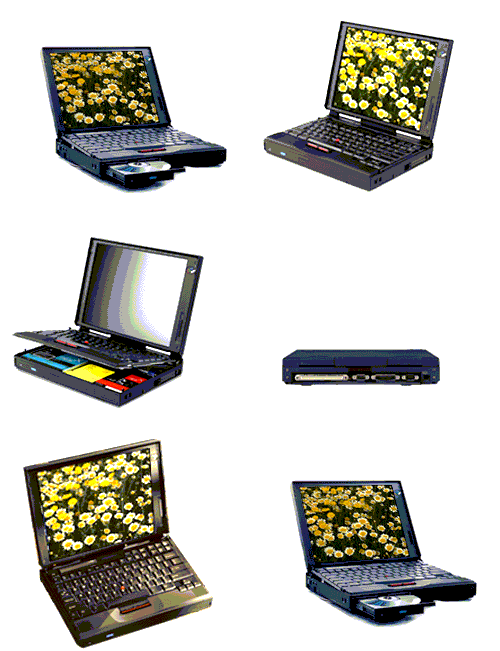
HARD DRIVE, CD ROM, BATTERY AND FLOPPY DRIVE REMOVAL and memory removal for (760xl 760ed 765 765L memory is under the hard drive)
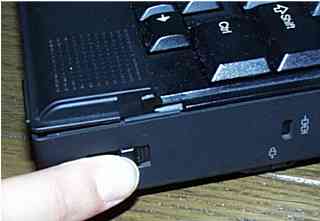
As you can see in the below picture the keyboard lifts up with the two latches that are used to open the lid
1. open the screen lid
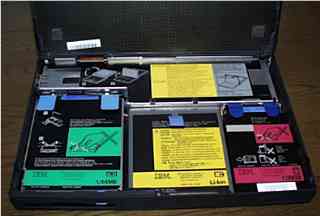
2. then with the two latches you used to open the lid push them in the opposite direction at the same time using your thumbs to lift the front of the keyboard up to expose the inside drives
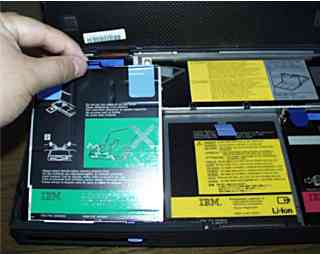
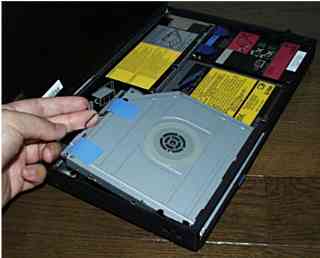
3. remove the drives by pulling up on the " wire handle " reverse procedure to reinstall but never pushing down in the middle of the drive only at the connector where it says so